前言
一个好的博客除了主题的选择以外,还会有着各种各样的插件去优化,使其更加完善,获得的体验也更好。
主题资源
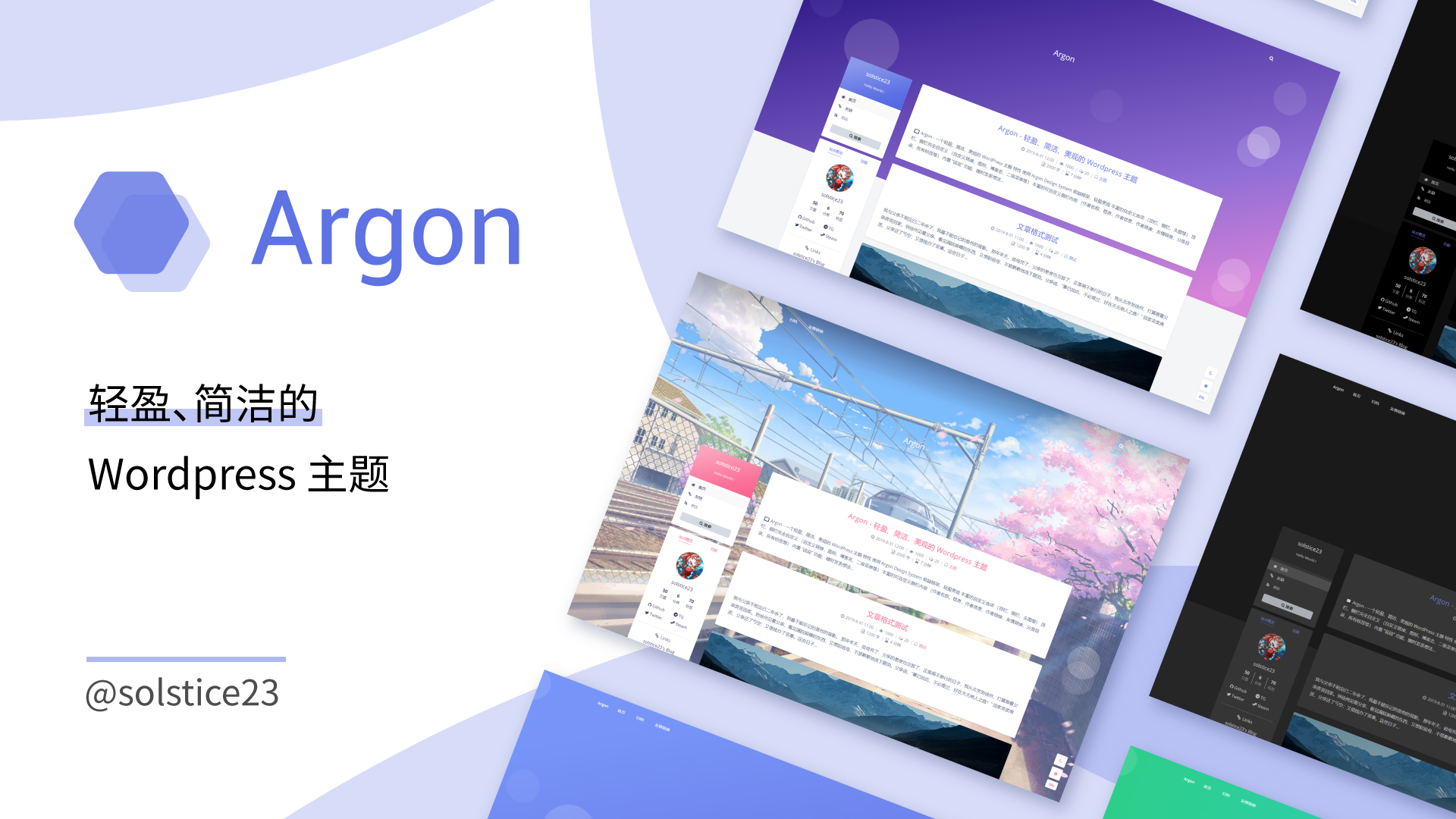
Argon主题是有自己的参考文档
Github地址 百度网盘链接 提取码:yl66
添加图标
Argon 主题内置了 Font Awesome 4图标库。
使用<i class="fa fa-xxxx"></i> 添加图标。其中 xxxx 为图标名。
在菜单文本前添加 <i class="fa fa-xxxx"></i> 即可添加图标。
以下代码能实现下图中的效果
<i class="fa fa-home"></i> 首页
<i class="fa fa-link"></i> 友链
<i class="fa fa-rss"></i> RSS

创建友链页面
新建一个页面,设定好页面地址和样式后,只需向页面中添加 friendlinks 短代码,即可将这个页面变成友链页面。
说说
新建一个页面,将其页面模板设为 "说说" 即可。 Q: 进入说说详情,提示 404 或自动跳转到其他页面 A: 可能是 WordPress 伪静态缓存未及时更新。请到 "Wordpress 管理后台-设置-固定链接" 页面中直接点击 "保存更改" 来刷新缓存。
留言板
新建一个页面,将其页面模板设为 "留言板",并开启这个页面的评论功能,即可让这个页面成为留言板。
归档时间轴
新建一个页面,将其页面模板设为 "归档时间轴",即可让这个页面成为归档时间轴。
小工具:底部音乐播放
指定音乐平台 server="netease" (server 可以自己用的音乐平台,如网易云:netease 、QQ 音乐:tencent )
**单曲类型 ** type="song"
音乐的 id id="9812639471" (这里的 id 为打开音乐歌单,网址显示的 id)
开启吸底模式 fixed="true"
开启迷你模式 mini="true"
随机播放 order="random"
关闭底部歌词 lrc-type="0"
Aplayer 播放器官网文档:APlayer HTML5 音乐播放器 | ACE-BLOG (ace520.github.io)
<link rel="stylesheet" href="https://cdn.jsdelivr.net/npm/aplayer/dist/APlayer.min.css">
<script src="https://cdn.jsdelivr.net/npm/aplayer/dist/APlayer.min.js"></script>
<script src="https://cdn.jsdelivr.net/npm/meting@2.0.1/dist/Meting.min.js"></script>

<meting-js
    server="netease"
    type="playlist"
    id="9812639471"
    fixed="true"
    mini="true"
    order="random"
    loop="all"
    preload="auto"
    list-folded="false">
</meting-js>
小工具:年度倒计时
在左侧栏里添加工具 —— 简码,复制一下代码粘贴进去。有需要的话也可以像我一样在添加完的简码下面再加一个日历的工具,显示时间。
<div class="progress-wrapper" style="padding: 0">
<div class="progress-info">
<div class="progress-label">
<span id="yearprogress_yearname"></span>
</div>
<div id="yearprogress_text_container" class="progress-percentage">
<span id="yearprogress_progresstext"></span>
<span id="yearprogress_progresstext_full"></span>
</div>
</div>
<div class="progress">
<div id="yearprogress_progressbar" class="progress-bar bg-primary"></div>
</div>
</div>
<script no-pjax="">
function yearprogress_refresh() {
let year = new Date().getFullYear();
$("#yearprogress_yearname").text(year);
let from = new Date(year, 0, 1, 0, 0, 0);
let to = new Date(year, 11, 31, 23, 59, 59);
let now = new Date();
let progress = (((now - from) / (to - from + 1)) * 100).toFixed(7);
let progressshort = (((now - from) / (to - from + 1)) * 100).toFixed(2);
$("#yearprogress_progresstext").text(progressshort + "%");
$("#yearprogress_progresstext_full").text(progress + "%");
$("#yearprogress_progressbar").css("width", progress + "%");
}
yearprogress_refresh();
if (typeof yearProgressIntervalHasSet == "undefined") {
var yearProgressIntervalHasSet = true;
setInterval(function () {
yearprogress_refresh();
}, 500);
}
</script>
<style>
#yearprogress_text_container {
width: 100%;
height: 22px;
overflow: hidden;
user-select: none;
}
#yearprogress_text_container > span {
transition: all 0.3s ease;
display: block;
}
#yearprogress_text_container:hover > span {
transform: translateY(-45px);
}
</style>
根据主题自动透明
放到页脚脚本中
<script>
  function hexToRgb(hex,op){
    let str = hex.slice(1);
    let arr;
    if (str.length === 3) arr = str.split('').map(d => parseInt(d.repeat(2), 16));
    else arr = [parseInt(str.slice(0, 2), 16), parseInt(str.slice(2, 4), 16), parseInt(str.slice(4, 6), 16)];
    return  `rgb(${arr.join(', ')}, ${op})`;
};

  let themeColorHex = getComputedStyle(document.documentElement).getPropertyValue('--themecolor').trim();
  let op1 = 0.6
  let themeColorRgb = hexToRgb(themeColorHex,op1);
  let themecolorGradient = getComputedStyle(document.documentElement).getPropertyValue('--themecolor-gradient')*
  document.documentElement.style.setProperty('--themecolor-gradient',themeColorRgb)

  let op2 = 0.8
  // 方法一:
  let colorTint92 = getComputedStyle(document.documentElement).getPropertyValue('--color-tint-92').trim();
  colorTint92 += ', '+op2;
  document.documentElement.style.setProperty('--color-tint-92',colorTint92)
  // 方法二:(无效)
  // let colorForegroundHex = getComputedStyle(document.documentElement).getPropertyValue('--color-foreground').trim();
  // let colorForeground = hexToRgb(colorForegroundHex,op2)
  // 无效的原因是博客里的--color-fpreground是局部变量,不是:root里的全局变量,所以最好的办法是修改--color-tint-92,这个是全局的
  // document.documentElement.style.setPrope。rty('--color-fpreground',colorForeground)
   // 不要用下面这种cssText这种写法,会导致上面--themecolor-gradient的样式修改失效!
   // document.documentElement.style.cssText = '--color-tint-92:'+colorTint92

  let op3 = 0.65
  let colorShade90 = getComputedStyle(document.documentElement).getPropertyValue('--color-shade-90').trim();
  colorShade90 += ', ' + op3;
  document.documentElement.style.setProperty('--color-shade-90',colorShade90)

  let op4 = 0.8
  let colorShade86 = getComputedStyle(document.documentElement).getPropertyValue('--color-shade-86').trim();
  colorShade86 += ', ' + op4;
  document.documentElement.style.setProperty('--color-shade-86',colorShade86)
</script>
网页底部样式
放到Argon设置的页脚内容里
<style>
/* 核心样式 */
.github-badge {
display: inline-block;
border-radius: 4px;
text-shadow: none;
font-size: 13.1px;
color: #fff;
line-height: 15px;
margin-bottom: 5px;
font-family: "Open Sans", sans-serif;
}
.github-badge .badge-subject {
display: inline-block;
background-color: #4d4d4d;
padding: 4px 4px 4px 6px;
border-top-left-radius: 4px;
border-bottom-left-radius: 4px;
font-family: "Open Sans", sans-serif;
}
.github-badge .badge-value {
display: inline-block;
padding: 4px 6px 4px 4px;
border-top-right-radius: 4px;
border-bottom-right-radius: 4px;
font-family: "Open Sans", sans-serif;
}
.github-badge-big {
display: inline-block;
border-radius: 6px;
text-shadow: none;
font-size: 14.1px;
color: #fff;
line-height: 18px;
margin-bottom: 7px;
}
.github-badge-big .badge-subject {
display: inline-block;
background-color: #4d4d4d;
padding: 4px 4px 4px 6px;
border-top-left-radius: 4px;
border-bottom-left-radius: 4px;
}
.github-badge-big .badge-value {
display: inline-block;
padding: 4px 6px 4px 4px;
border-top-right-radius: 4px;
border-bottom-right-radius: 4px;
}
.bg-orange {
background-color: #ec8a64 !important;
}
.bg-red {
background-color: #cb7574 !important;
}
.bg-apricots {
background-color: #f7c280 !important;
}
.bg-casein {
background-color: #dfe291 !important;
}
.bg-shallots {
background-color: #97c3c6 !important;
}
.bg-ogling {
background-color: #95c7e0 !important;
}
.bg-haze {
background-color: #9aaec7 !important;
}
.bg-mountain-terrier {
background-color: #99a5cd !important;
}
</style>
额外CSS样式
/*网站字体*/
/*原则上你可以设置多个字体,然后在不同的部位使用不同的字体。*/
@font-face{
    font-family:btfFont;
src:url(http://files.hurqee.com/3.woff2) format('woff2')
}

body{
    font-family:"btfFont" !important
}

/*横幅字体大小*/
.banner-title {
  font-size: 2.5em;
}
.banner-subtitle{
  font-size: 28px;

	-webkit-text-fill-color: transparent;
background: linear-gradient(94.75deg,rgb(60, 172, 247) 0%,rgb(131, 101, 253) 43.66%,                rgb(255, 141, 112) 64.23%,rgb(247, 201, 102) 83.76%,rgb(172, 143, 100) 100%);
-webkit-background-clip: text;
}

/*文章标题字体大小*/
.post-title {
    font-size: 25px
}

/*正文字体大小(不包含代码)*/
.post-content p{
    font-size: 1.25rem;
}
li{
    font-size: 1.2rem;

}

/*评论区字体大小*/
p {
    font-size: 1.2rem

}

/*评论发送区字体大小*/
.form-control{
    font-size: 1.2rem
}

/*评论勾选项目字体大小*/
.custom-checkbox .custom-control-input~.custom-control-label{
    font-size: 1.2rem
}
/*评论区代码的强调色*/
code {
  color: rgba(var(--themecolor-rgbstr));
}

/*说说字体大小和颜色设置*/
.shuoshuo-title {
    font-size: 25px;
/*  color: rgba(var(--themecolor-rgbstr)); */
}

/*尾注字体大小*/
.additional-content-after-post{
    font-size: 1.2rem
}

/* 公告居中 */
.leftbar-announcement-title {
    font-size: 20px;
/*     text-align: center; */
 				color: #00FFFF
}

.leftbar-announcement-content {
    font-size: 15px;
    line-height: 1.8;
    padding-top: 8px;
    opacity: 0.8;
/*     text-align: center; */
			color:#00FFFF;
}

/* 一言居中 */
.leftbar-banner-title {
    font-size: 20px;
    display: block;
    text-align: center;
		opacity: 0.8;
}

/* 个性签名居中 */
.leftbar-banner-subtitle {
    margin-top: 15px;
    margin-bottom: 8px;
    font-size: 13px;
    opacity: 0.8;
    display: block;
    text-align: center;
}

/*========颜色设置===========*/

/*文章或页面的正文颜色*/
body{
    color:#364863
}

/*引文属性设置*/
blockquote {
    /*添加弱主题色为背景色*/
    background: rgba(var(--themecolor-rgbstr), 0.1) !important;
    width: 100%
}

/*引文颜色 建议用主题色*/
:root {
    /*也可以用类似于--color-border-on-foreground-deeper: #009688;这样的命令*/
    --color-border-on-foreground-deeper: rgba(var(--themecolor-rgbstr));
}

/*左侧菜单栏突出颜色修改*/
.leftbar-menu-item > a:hover, .leftbar-menu-item.current > a{
    background-color: #f9f9f980;
}

/*站点概览分隔线颜色修改*/
.site-state-item{
    border-left: 1px solid #aaa;
}
.site-friend-links-title {
    border-top: 1px dotted #aaa;
}
#leftbar_tab_tools ul li {
    padding-top: 3px;
    padding-bottom: 3px;
    border-bottom:none;
}
html.darkmode #leftbar_tab_tools ul li {
    border-bottom:none;
}

/*左侧栏搜索框的颜色*/
button#leftbar_search_container {
    background-color: transparent;
}

/*========透明设置===========*/

/*白天卡片背景透明*/
.card{
    background-color:rgba(255, 255, 255, 0.8) !important;
    /*backdrop-filter:blur(6px);*//*毛玻璃效果主要属性*/
    -webkit-backdrop-filter:blur(6px);
}

/*小工具栏背景完全透明*/
/*小工具栏是card的子元素,如果用同一个透明度会叠加变色,故改为完全透明*/
.card .widget,.darkmode .card .widget,#post_content > div > div > div.argon-timeline-card.card.bg-gradient-secondary.archive-timeline-title{
    background-color:#ffffff00 !important;
    backdrop-filter:none;
    -webkit-backdrop-filter:none;
}
.emotion-keyboard,#fabtn_blog_settings_popup{
    background-color:rgba(255, 255, 255, 0.95) !important;
}

/*分类卡片透明*/
.bg-gradient-secondary{
    background:rgba(255, 255, 255, 0.1) !important;
    backdrop-filter: blur(10px);
    -webkit-backdrop-filter:blur(10px);
}

/*夜间透明*/
html.darkmode.bg-white,html.darkmode .card,html.darkmode #footer{
    background:rgba(66, 66, 66, 0.9) !important;
}
html.darkmode #fabtn_blog_settings_popup{
    background:rgba(66, 66, 66, 0.95) !important;
}

/*标签背景
.post-meta-detail-tag {
    background:rgba(255, 255, 255, 0.5)!important;
}*/


/*========排版设置===========*/

/*左侧栏层级置于上层*/
#leftbar_part1 {
    z-index: 1;
}

/*分类卡片文本居中*/
#content > div.page-information-card-container > div > div{
    text-align:center;
}

/*子菜单对齐及样式调整*/
.dropdown-menu .dropdown-item>i{
    width: 10px;
}
.dropdown-menu>a {
    color:var(--themecolor);
}
.dropdown-menu{
    min-width:max-content;
}
.dropdown-menu .dropdown-item {
    padding: .5rem 1.5rem 0.5rem 1rem;
}
.leftbar-menu-subitem{
    min-width:max-content;
}
.leftbar-menu-subitem .leftbar-menu-item>a{
    padding: 0rem 1.5rem 0rem 1rem;
}

/*左侧栏边距修改*/
.tab-content{
    padding:10px 0px 0px 0px !important;
}
.site-author-links{
    padding:0px 0px 0px 10px ;
}
/*目录位置偏移修改*/
#leftbar_catalog{
    margin-left: 0px;
}
/*目录条目边距修改*/
#leftbar_catalog .index-link{
    padding: 4px 4px 4px 4px;
}
/*左侧栏小工具栏字体缩小*/
#leftbar_tab_tools{
    font-size: 14px;
}

/*正文图片边距修改*/
article figure {margin:0;}
/*正文图片居中显示*/
.fancybox-wrapper {
    margin: auto;
}
/*正文表格样式修改*/
article table > tbody > tr > td,
article table > tbody > tr > th,
article table > tfoot > tr > td,
article table > tfoot > tr > th,
article table > thead > tr > td,
article table > thead > tr > th{
    padding: 8px 10px;
    border: 1px solid;
}
/*表格居中样式*/
.wp-block-table.aligncenter{margin:10px auto;}

/*回顶图标放大*/
button#fabtn_back_to_top, button#fabtn_go_to_comment, button#fabtn_toggle_blog_settings_popup, button#fabtn_toggle_sides, button#fabtn_open_sidebar{
    font-size: 1.2rem;
}

/*顶栏菜单放大*/
/*这里也可以设置刚刚我们设置的btfFont字体。试试看!*/

.navbar-nav .nav-link {
    font-size: 1rem;
    font-family: 'btfFont';

}
.navbar-brand {
	font-family: 'btfFont';
    font-size: 1.2rem;
    margin-right: 1.0 rem;
    padding-bottom: 0.2 rem;

	-webkit-text-fill-color: transparent;
background: linear-gradient(94.75deg,rgb(60, 172, 247) 0%,rgb(131, 101, 253) 43.66%,                rgb(255, 141, 112) 64.23%,rgb(247, 201, 102) 83.76%,rgb(172, 143, 100) 100%);
-webkit-background-clip: text;
}

/*菜单大小*/
.nav-link-inner--text {
    font-size: 1.25em;
}
.navbar-nav .nav-item {
    margin-right:0;
}
.mr-lg-5, .mx-lg-5 {
    margin-right:1rem !important;
}
.navbar-toggler-icon {
    width: 1.8rem;
    height: 1.8rem;
}
/*菜单间距*/
.navbar-expand-lg .navbar-nav .nav-link {
    padding-right: 1.4em;
    padding-left: 1.4em;
}

/*隐藏wp-SEO插件带来的线条阴影(不一定要装)*/
*[style='position: relative; z-index: 99998;'] {
    display: none;
}

/* Github卡片样式*/
.github-info-card-header a {
    /*Github卡片抬头颜色*/
    color: black !important;
    font-size: 1.5rem;
}
.github-info-card {
    /*Github卡片文字(非链接)*/
    font-size: 1rem;
    color: black !important;
}
.github-info-card.github-info-card-full.card.shadow-sm {
    /*Github卡片背景色*/
    background-color: rgba(var(--themecolor-rgbstr), 0.1) !important;
}

/*      左侧栏外观CSS     */

/* 头像 */
#leftbar_overview_author_image {
    width: 100px;
    height: 100px;
    margin: auto;
    background-position: center;
    background-repeat: no-repeat;
    background-size: cover;
    background-color: rgba(127, 127, 127, 0.1);
    overflow: hidden;
    transition: transform 0.3s ease;
}

/*  头像亮暗  */
#leftbar_overview_author_image:hover {
	transform: scale(1.23);
	filter: brightness(150%);
}

/* 名称 */
#leftbar_overview_author_name {
  	margin-top: 15px;
	font-size: 18px;align-content;
	color:#00FFFF;
}

/* 简介 */
#leftbar_overview_author_description {
    font-size: 14px;
    margin-top: -4px;
    opacity: 0.8;
	color:#c21f30;
}

/* 标题,链接等 */
a, .btn-neutral {
    color:#AF7AC5 ;

}

/* 页脚透明 */
#footer {
    background: var(--themecolor-gradient);
    color: #fff;
    width: 100%;
    float: right;
    margin-bottom: 25px;
    text-align: center;
    padding: 25px 20px;
    line-height: 1.8;
    transition: none;
    opacity: 0.6;
}
去除左侧栏搜索框
在主题文件编辑器里找到文件sidebar.php
在该文件里找到以下代码注释掉,在其前面加上<!-- 后面加上--!>,如果要显示搜索框的话只需要将注释的符号删除即可。
		 <div class="card-body text-center leftbar-search-button">
				<button id="leftbar_search_container" class="btn btn-secondary btn-lg active btn-sm btn-block border-0" role="button">
					<i class="menu-item-icon fa fa-search mr-0"></i> <?php _e('搜索', 'argon');?>
					<input id="leftbar_search_input" type="text" placeholder="<?php _e('搜索什么...', 'argon');?>" class="form-control form-control-alternative" autocomplete="off">
				</button>
			</div>
Argon主题点击概要进入文章
默认情况下在文章列表只有点击文章标题的时候,我们才可以进入文章,使用以下设置我们可以点击概要进入文章。
在主题文件编辑器里找到文件:
template-parts/content-preview-1.php
修改<div class="post-content"> 标签
大约在51行,在标签里面添加一行代码onclick="pjaxNavigate('<?php the_permalink(); ?>')" style="cursor: pointer"
修改后的样式:
<div class="post-content" onclick="pjaxNavigate('<?php the_permalink(); ?>')" style="cursor: pointer">
再到Arrgon设置-页脚脚本里添加下面的代码(在footer.php之类的地方添加也可以)
<script>
// 点击概要也可以进入文章
//使用 PJAX 进行页面跳转
function pjaxNavigate(url) {
    $.pjax({
      url: url,       // 要跳转的页面 URL
    });
}
</script>
网站运行时间(JavaScript脚本)
放到Argon设置的页脚内容里 注意:new Date (year, month, date, hrs, min, sec) 按给定的参数创建 日期对象
其中 month 的值域为 0~11,0 代表 1 月,11 表代表 12 月;所以你输入的月份需要为自己真正月份的前一个月
	<!-- 运行时间 -->
    <div class="github-badge-big">
        <span class="badge-subject"><i class="fa fa-clock-o"></i> 运行时间</span><span
            class="badge-value bg-apricots"><span id="blog_running_days" class="odometer odometer-auto-theme"></span>
            days
            <span id="blog_running_hours" class="odometer odometer-auto-theme"></span> H
            <span id="blog_running_mins" class="odometer odometer-auto-theme"></span> M
            <span id="blog_running_secs" class="odometer odometer-auto-theme"></span>S
        </span>
 <script no-pjax=" ">
var blog_running_days = document.getElementById("blog_running_days");
var blog_running_hours = document.getElementById("blog_running_hours");
var blog_running_mins = document.getElementById("blog_running_mins");
var blog_running_secs = document.getElementById("blog_running_secs");
function refresh_blog_running_time() {
var time = new Date() - new Date(2024, 7, 14, 14, 23, 0); /*此处日期的月份改为自己真正月份的前一个月*/
var d = parseInt(time / 24 / 60 / 60 / 1000);
var h = parseInt((time % (24 * 60 * 60 * 1000)) / 60 / 60 / 1000);
var m = parseInt((time % (60 * 60 * 1000)) / 60 / 1000);
var s = parseInt((time % (60 * 1000)) / 1000);
blog_running_days.innerHTML = d;
blog_running_hours.innerHTML = h;
blog_running_mins.innerHTML = m;
blog_running_secs.innerHTML = s;
}
refresh_blog_running_time();
if (typeof bottomTimeIntervalHasSet == "undefined") {
var bottomTimeIntervalHasSet = true;
setInterval(function () {
refresh_blog_running_time();
}, 500);
}
</script>
网站输入效果
放到Argon设置的页脚内容里
<!--网站输入效果开始-->
<script src="http://files.hurqee.com/js/input-with-fire.js"></script>
其中input-with-fire.js的内容为
(function webpackUniversalModuleDefinition(a, b) {
    if (typeof exports === "object" && typeof module === "object") {
        module.exports = b()
    } else {
        if (typeof define === "function" && define.amd) {
            define([], b)
        } else {
            if (typeof exports === "object") {
                exports["POWERMODE"] = b()
            } else {
                a["POWERMODE"] = b()
            }
        }
    }
})(this, function() {
    return (function(a) {
        var b = {};

        function c(e) {
            if (b[e]) {
                return b[e].exports
            }
            var d = b[e] = {
                exports: {},
                id: e,
                loaded: false
            };
            a[e].call(d.exports, d, d.exports, c);
            d.loaded = true;
            return d.exports
        }
        c.m = a;
        c.c = b;
        c.p = "";
        return c(0)
    })([function(c, g, b) {
        var d = document.createElement("canvas");
        d.width = window.innerWidth;
        d.height = window.innerHeight;
        d.style.cssText = "position:fixed;top:0;left:0;pointer-events:none;z-index:999999";
        window.addEventListener("resize", function() {
            d.width = window.innerWidth;
            d.height = window.innerHeight
        });
        document.body.appendChild(d);
        var a = d.getContext("2d");
        var n = [];
        var j = 0;
        var k = 120;
        var f = k;
        var p = false;
        o.shake = true;

        function l(r, q) {
            return Math.random() * (q - r) + r
        }
        function m(r) {
            if (o.colorful) {
                var q = l(0, 360);
                return "hsla(" + l(q - 10, q + 10) + ", 100%, " + l(50, 80) + "%, " + 1 + ")"
            } else {
                return window.getComputedStyle(r).color
            }
        }
        function e() {
            var t = document.activeElement;
            var v;
            if (t.tagName === "TEXTAREA" || (t.tagName === "INPUT" && t.getAttribute("type") === "text")) {
                var u = b(1)(t, t.selectionStart);
                v = t.getBoundingClientRect();
                return {
                    x: u.left + v.left,
                    y: u.top + v.top,
                    color: m(t)
                }
            }
            var s = window.getSelection();
            if (s.rangeCount) {
                var q = s.getRangeAt(0);
                var r = q.startContainer;
                if (r.nodeType === document.TEXT_NODE) {
                    r = r.parentNode
                }
                v = q.getBoundingClientRect();
                return {
                    x: v.left,
                    y: v.top,
                    color: m(r)
                }
            }
            return {
                x: 0,
                y: 0,
                color: "transparent"
            }
        }
        function h(q, s, r) {
            return {
                x: q,
                y: s,
                alpha: 1,
                color: r,
                velocity: {
                    x: -1 + Math.random() * 2,
                    y: -3.5 + Math.random() * 2
                }
            }
        }
        function o() {
            var t = e();
            var s = 5 + Math.round(Math.random() * 10);
            while (s--) {
                n[j] = h(t.x, t.y, t.color);
                j = (j + 1) % 500
            }
            f = k;
            if (!p) {
                requestAnimationFrame(i)
            }
            if (o.shake) {
                var r = 1 + 2 * Math.random();
                var q = r * (Math.random() > 0.5 ? -1 : 1);
                var u = r * (Math.random() > 0.5 ? -1 : 1);
                document.body.style.marginLeft = q + "px";
                document.body.style.marginTop = u + "px";
                setTimeout(function() {
                    document.body.style.marginLeft = "";
                    document.body.style.marginTop = ""
                }, 75)
            }
        }
        o.colorful = false;

        function i() {
            if (f > 0) {
                requestAnimationFrame(i);
                f--;
                p = true
            } else {
                p = false
            }
            a.clearRect(0, 0, d.width, d.height);
            for (var q = 0; q < n.length; ++q) {
                var r = n[q];
                if (r.alpha <= 0.1) {
                    continue
                }
                r.velocity.y += 0.075;
                r.x += r.velocity.x;
                r.y += r.velocity.y;
                r.alpha *= 0.96;
                a.globalAlpha = r.alpha;
                a.fillStyle = r.color;
                a.fillRect(Math.round(r.x - 1.5), Math.round(r.y - 1.5), 3, 3)
            }
        }
        requestAnimationFrame(i);
        c.exports = o
    }, function(b, a) {
        (function() {
            var d = ["direction", "boxSizing", "width", "height", "overflowX", "overflowY", "borderTopWidth", "borderRightWidth", "borderBottomWidth", "borderLeftWidth", "borderStyle", "paddingTop", "paddingRight", "paddingBottom", "paddingLeft", "fontStyle", "fontVariant", "fontWeight", "fontStretch", "fontSize", "fontSizeAdjust", "lineHeight", "fontFamily", "textAlign", "textTransform", "textIndent", "textDecoration", "letterSpacing", "wordSpacing", "tabSize", "MozTabSize"];
            var e = window.mozInnerScreenX != null;

            function c(k, l, o) {
                var h = o && o.debug || false;
                if (h) {
                    var i = document.querySelector("#input-textarea-caret-position-mirror-div");
                    if (i) {
                        i.parentNode.removeChild(i)
                    }
                }
                var f = document.createElement("div");
                f.id = "input-textarea-caret-position-mirror-div";
                document.body.appendChild(f);
                var g = f.style;
                var j = window.getComputedStyle ? getComputedStyle(k) : k.currentStyle;
                g.whiteSpace = "pre-wrap";
                if (k.nodeName !== "INPUT") {
                    g.wordWrap = "break-word"
                }
                g.position = "absolute";
                if (!h) {
                    g.visibility = "hidden"
                }
                d.forEach(function(p) {
                    g[p] = j[p]
                });
                if (e) {
                    if (k.scrollHeight > parseInt(j.height)) {
                        g.overflowY = "scroll"
                    }
                } else {
                    g.overflow = "hidden"
                }
                f.textContent = k.value.substring(0, l);
                if (k.nodeName === "INPUT") {
                    f.textContent = f.textContent.replace(/\s/g, "\u00a0")
                }
                var n = document.createElement("span");
                n.textContent = k.value.substring(l) || ".";
                f.appendChild(n);
                var m = {
                    top: n.offsetTop + parseInt(j["borderTopWidth"]),
                    left: n.offsetLeft + parseInt(j["borderLeftWidth"])
                };
                if (h) {
                    n.style.backgroundColor = "#aaa"
                } else {
                    document.body.removeChild(f)
                }
                return m
            }
            if (typeof b != "undefined" && typeof b.exports != "undefined") {
                b.exports = c
            } else {
                window.getCaretCoordinates = c
            }
        }())
    }])
});
POWERMODE.colorful = true;
POWERMODE.shake = false;
document.body.addEventListener("input", POWERMODE);
字体
下面的字体链接可能会失效,建议可以去字体网站上免费下载字体文件,最好下载那些免费商用字体,避免不必要的版权纠纷,然后通过转换网站将其转换成woff2格式文件,再上传到网站根目录或者使用CDN。
/*设置网站字体*/
/*原则上你可以设置多个字体,然后在不同的部位使用不同的字体*/
@font-face{
    font-family:btfFont;
    src: url(http://www.hurqee.com/files/3.woff2) format('woff2')
}
body{
    font-family:"btfFont" !important
}
头像缩放或亮暗
鼠标经过头像时自动缩放、高亮 / 暗 放到外观–自定义–额外CSS中
#leftbar_overview_author_image {
    width: 100px;
    height: 100px;
    margin: auto;
    background-position: center;
    background-repeat: no-repeat;
    background-size: cover;
    background-color: rgba(127, 127, 127, 0.1);
    overflow: hidden;
    box-shadow: 0 0 5px rgba(116, 8, 204, 0.3);
    transition: transform 0.3s ease; /*变化速度*/
}

#leftbar_overview_author_image:hover {
	transform: scale(1.2); /*缩放大小*/
	filter: brightness(150%); /*调节亮度*/
}
评论头像显示
在 外观 — 主题文件编辑器 中的 function 模板函数添加此代码
if ( ! function_exists( 'get_cravatar_url' ) ) {
    /**
    *  把Gravatar头像服务替换为Cravatar
    * @param string $url
    * @return string
    */
    function get_cravatar_url( $url ) {
        $sources = array(
            'www.gravatar.com',
            '0.gravatar.com',
            '1.gravatar.com',
            '2.gravatar.com',
            'secure.gravatar.com',
            'cn.gravatar.com'
        );
        return str_replace( $sources, 'cravatar.cn', $url );
    }
    add_filter( 'um_user_avatar_url_filter', 'get_cravatar_url', 1 );
    add_filter( 'bp_gravatar_url', 'get_cravatar_url', 1 );
    add_filter( 'get_avatar_url', 'get_cravatar_url', 1 );
}
背景虚化
用于背景图片过于清晰,影响看文章时的体验,只要在footer.php里添加。
使用Argon主题的可以直接在Argon主题设置 – 页头脚本里添加以下代码。
<!--滚动模糊-->
<script>
window.addEventListener("scroll", function (e) {
  if (window.scrollY > window.innerHeight * 0.3) {
    document.querySelector("#content").classList.add("scrolled");
  } else {
    document.querySelector("#content").classList.remove("scrolled");
  }
});</script>
<style>
#content.scrolled::before, #content.scrolled::after {
  filter: blur(6px); /*数字越大虚化越明显*/
  transform: scale(1.02); /*数字越大背景放大越明显*/
}
#content::before, #content::after {
  transition: filter .3s ease, transform .3s ease !important;
  filter: blur(0px);
  transform: scale(1.02);
}
</style>
网站悼念色
遇到国家重要人物逝世、抗战纪念日等重大时点,为了表示悲悼,很多网站包括很多APP都会选择全黑白的配色。只需要在额外CSS的最底部(否则容易和其它CSS代码冲突)添加下列代码即可:
/*网站黑白色(悼念)*/
html {
    filter: grayscale(100%);
    -webkit-filter: grayscale(100%);
    -moz-filter: grayscale(100%);
    -ms-filter: grayscale(100%);
    -o-filter: grayscale(100%);
    filter: url("data:image/svg+xml;utf8,#grayscale");
    filter:progid:DXImageTransform.Microsoft.BasicImage(grayscale=1);
    -webkit-filter: grayscale(1);
}
春节灯笼挂件
在footer.php的